


Code Club
Learn to code, shape the future. Join a global community of digital creators. Code Clubs are are run in some of our libraries and are designed to help young people (typically ages 9–13) learn coding and digital skills in a fun, collaborative environment.
Here’s what makes Code Clubs special:
- Free and Accessible: They provide free resources and projects for beginners.
- Project-Based Learning: Kids learn by creating games, animations, and websites using languages like Scratch, Python, and HTML/CSS.
- Focus on Creativity and Problem-Solving: Encourages logical thinking, teamwork, and creativity rather than formal exams.
Please contact your local library to enquire about Code Club in libraries.
Micro:bit is a tiny programmable computer, designed to make learning and teaching easy and fun!
You can use your micro:bit for all sorts of cool coding creations, from robots to musical instruments. It can be coded from any web browser in Blocks, Javascript, Python, Scratch and more; no additional software required.
The Device has many features, including wireless connectivity, 25 red LEDs that can flash messages, two programmable buttons that can be used to control games, and motion and direction detectors.
Ideas and Suggested Activities
There are over 200 different activities and resources to try, from easy experiments to creative coding challenges.
Visit the micro:bit ideas page and coding page for lots of coding and projects to make with your micro:bit.
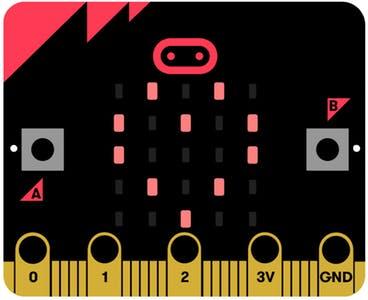
Using the Micro:bit with a laptop or PC
Connect the micro:bit to your pc or laptop using the USB cable (it should appear as a removable drive). Once you have done this, head over to the micro:bit website to get coding: www.microbit.org
There are a number of different editors you can use on the site, such as ‘JavaScript Blocks Editor’, ‘Scratch‘ and ‘Python’ (for the more advanced).
Using the micro:bit with a tablet or smart phone
You can download a micro:bit mobile app that lets you send your code to your micro:bit over Bluetooth (without using a USB cable) and more. Your device will need to have Bluetooth, and this needs to be switched on to pair with the micro:bit. If you have trouble pairing, try visiting this help page: www.microbit.org/mobile
Technobots
We have introduced coding and robotic technology with innovative ‘AI’ learning sessions. Our ‘Techno-bots’ sessions allow young people to practice basic programming skills with ‘Scratch’ coding, interactive toys and games, App controlled robotic racing and coded droids. The award winning ‘Osmo’ educational games systems lets children code, develop numeracy and spelling skills, create art and code music. Developments in start-up AI technology have changed the way users interact with computers, incorporating ‘hands-on’ learning in the library.